live analytics in one binary
tidepool is a live analytics server. You push rows to it over HTTP. You keep the tables, the model and the dashboards in YAML files in git. The dashboards update while data arrives, and a click filters every number on the page.
$ tidepool init shop
$ tidepool serve --config shop      # http://127.0.0.1:7070
$ tidepool feed                     # sample orders, live
one rust binary · rows over HTTP · the model in git · pre-1.0
epoch 4 812region
Revenue
€252 300
4 135 orders · 20 rows/s
filter_direction: both. The data is invented. The rules are the product's.associative
a click filters the whole page
A click on a value, a bar or a table row selects it. Every visual on the dashboard then shows only the data that the selection allows. Each filter shows its values in three states:
- selected you selected it
- possible the other selections allow it
- excluded the other selections do not allow it
- Selections go along the relationships of the model: from the one side to the many side, or both ways.
- A tree filter selects a whole branch: a line and every machine under it.
- A filter can show a metric for each value, under the rest of the selection.
- "Today" and "Last 7 days" move with the clock.
- Back and Forward go through the selections.
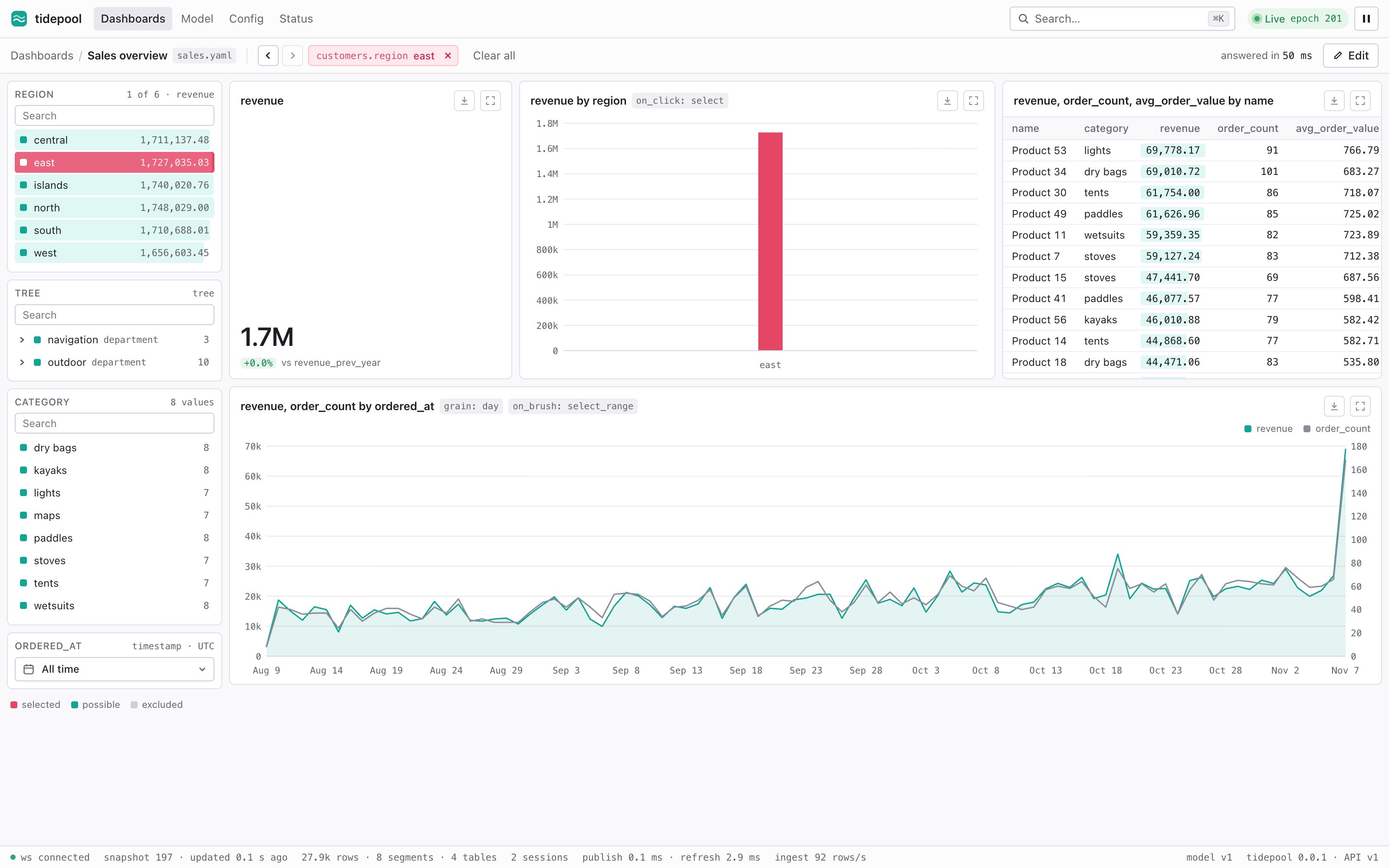
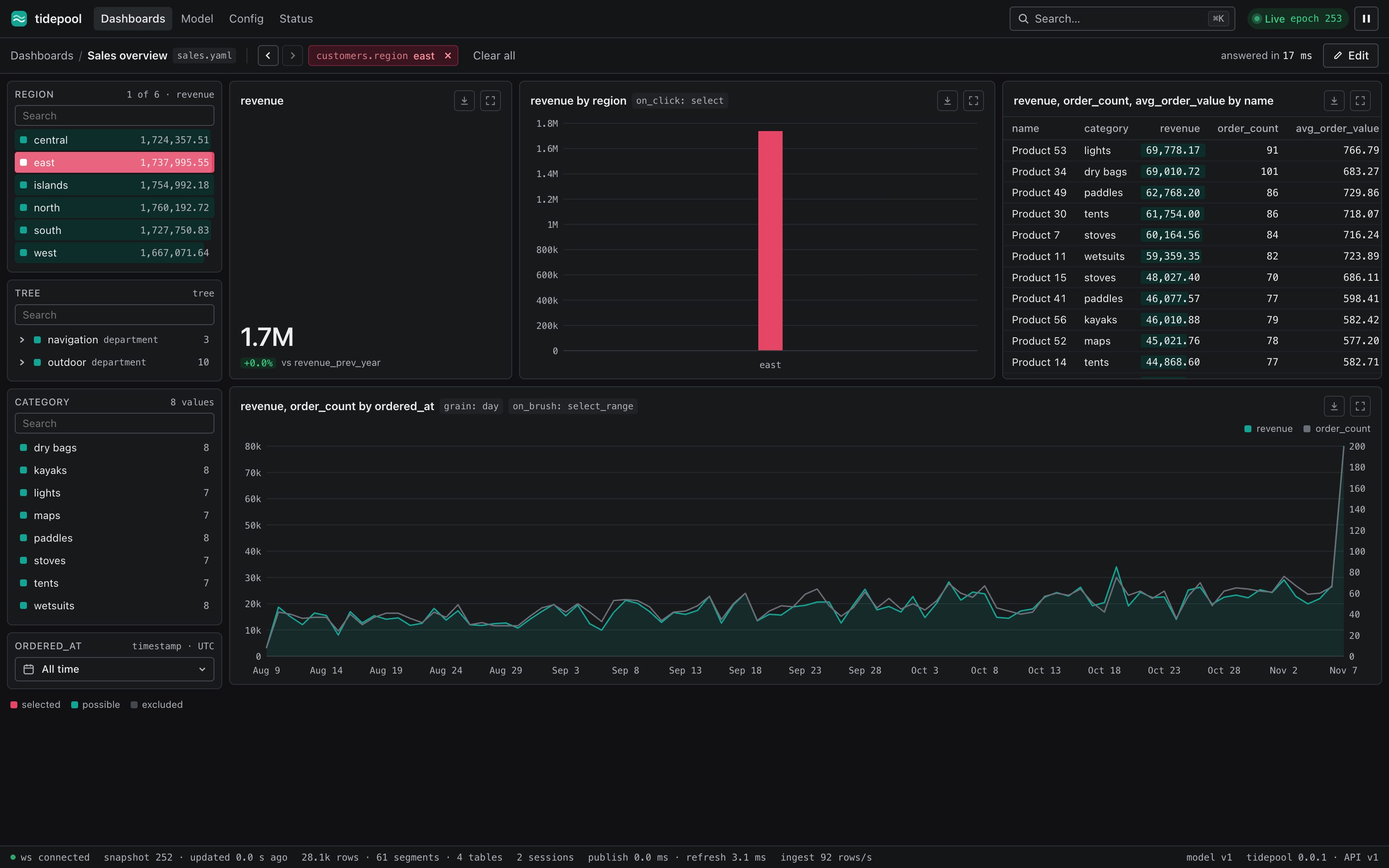
live
rows in, dashboards move
Each table gets an ingest endpoint when you declare it. Send JSON, NDJSON or Arrow. tidepool checks every value and writes all of a batch or none of it. At each epoch, every open dashboard gets only what changed.
- An
Idempotency-Keymakes a retry safe, also across a restart. - With a data directory, tidepool acknowledges a batch after it is in the log on disk.
- A full write queue answers
503withRetry-After. - tidepool updates each answer with the new rows only. It does not scan the table again.
$ curl -X POST 'localhost:7070/v1/tables/orders/rows?wait=visible' \
    -H 'content-type: application/x-ndjson' \
    -H 'idempotency-key: batch-42' \
    --data-binary @orders.ndjson
{"written":5000,"replaced":0,"missing":0,"epoch":4813}
- ack to every screen, p95
- 228 ms
- an epoch of 100,000 orders
- < 1 ms
50 live sessions, 100,000 rows/s, 200 ms epochs, 10 million orders
0.6 to 0.9 ms, at 100 million orders
the project is code
the model lives in git
Tables, the semantic model and dashboards are YAML files. The model is Apache Ossie, with SQL for fields and metrics. tidepool plans every change and gives it a class. It applies the change while it serves, and writes it back to the files.
- safe a table, a metric, a dashboard: live at the next epoch
- rebuild a join of tables with data: rewritten in the background
- destructive a column removed: needs approval
The same steps apply to the files, the config page, the API and agents. tidepool validate points at the wrong token, and says what you meant.
shop/
├── tidepool.yaml
├── model.ossie.yaml
├── tables/
│   ├── orders.yaml
│   └── customers.yaml
└── dashboards/
    └── sales.yaml
# model.ossie.yaml metrics: - name: paid_revenue expression: { dialects: [{ dialect: ANSI_SQL, expression: "SUM(orders.amount) FILTER (WHERE orders.status = 'paid')" }] }
$ tidepool plan --config shop --base main
1 change (0 safe, 1 rebuild, 0 destructive)

  + relationship product_supplier (products → suppliers)  rebuild
    (joins existing data: the key dictionaries are merged)
fast, and checked
measured, and compared with DuckDB
The numbers are from an Apple M1 Max (10 cores), release build, with the benchmarks in the repository. The reference is a retail star schema.
- ingest, Arrow
- 2.4M rows/s
- a new selection, p95
- 113 ms
- memory
- 28 bytes
- restart
- 1.2 s
8 clients, batches of 10,000, until visible. NDJSON: 2.2M.
100 million orders, region × category, three metrics
for each stored order. 100 million orders: about 2.8 GB.
100 million orders, from a checkpoint and the log
the oracle
Random schemas, data and queries from a seed. Each query runs on three paths of the engine, and each answer must be the same as DuckDB's. Live answers are compared after every epoch.
power losses
1,000 simulated crashes, some during a checkpoint, and 25 kill -9 cycles of the binary. No acknowledged write is lost.
the compiler
Each check of the model has a golden test of its exact message. Every YAML sample on this site compiles in the test suite.
with kayak
brokers in, through kayak
tidepool reads HTTP only. Its sister project, kayak, reads MQTT, Kafka, NATS, OPC UA and databases. kayak's tidepool output checks its mapping against the table at startup, and sends each batch with an idempotency key.
just demo starts a simulated plant: MQTT → kayak → tidepool, with a live dashboard of the plant floor.
# fragment: kayak's config.yaml
outputs:
  - type: tidepool
    connection: tidepool
    table: readings
agents
an MCP server, with a policy
An agent can read the model, calculate metrics, and plan changes over MCP. Each tool calls the HTTP endpoint that it wraps, with the token of the agent. The agent applies only the change classes that you allow. A person approves the rest.
$ claude mcp add --transport http tidepool http://127.0.0.1:7070/mcp# tidepool.yaml agents: auto_apply: [safe] # the default
limits
what tidepool does not do
one machine
No cluster and no shards. The target is up to about 500 million fact rows on one machine.
one model
One model for each server. No tenants and no row-level security.
HTTP only
tidepool has no connectors. Use kayak for brokers and databases.
no free SQL
A query is metrics by fields, under a selection. There is no SQL console.
no drag and drop
Dashboards are YAML files. The config page edits the files.
pre-1.0
The config format and the data directory can change between minor versions.